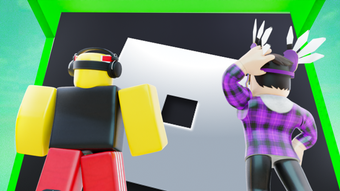

Guess the Logo in 14th Floor Challenge
Overview
14th Floor Guess The Logo is a free desktop software designed for Roblox users seeking an engaging trivia and puzzle experience. Developed by AimFever, the program operates as a standalone utility within the Roblox ecosystem, offering players a themed challenge centered around identifying logos from popular brands and franchises. The software aims to entertain and test visual recognition skills through a timed, interactive quiz format. Its primary purpose is to enhance user engagement during gameplay sessions by introducing a light-hearted, brain-teasing activity.
Targeted at Roblox enthusiasts, especially those who enjoy puzzle games and trivia challenges, the software fits well into casual gaming routines. It is particularly suited for players looking to take a break from action-oriented gameplay and enjoy a mental exercise. The application supports multiple languages, including English, Spanish, and German, making it accessible to a broad international audience. Real-world usage scenarios include use during downtime between Roblox sessions, in multiplayer gaming groups for friendly competition, or as a quick mental warm-up before returning to more intense gameplay.
The developer, AimFever, has positioned the software as a free tool within the Utilities category, suggesting a focus on functionality and accessibility. No additional system requirements were provided, and the software’s compatibility with Windows and Mac platforms was confirmed. The program was released on August 2, 2022, and remains available without cost.
Key Features & Capabilities
- Logo Recognition Challenge – Players are presented with stylized or partially obscured logos and must identify the correct brand or franchise within a time limit. This feature encourages visual memory and pattern recognition.
- Multi-Language Support – The software is available in English, Spanish, and German, enabling users from different regions to engage with the content without language barriers.
- Timed Puzzle Gameplay – Each round includes a countdown timer, adding urgency and excitement to the challenge, which enhances replayability and competitive engagement.
- Free Access with No Ads – The software is available at no cost, and there is no indication of advertisements, ensuring a clean and uninterrupted user experience.
- Roblox Integration – Designed specifically for the Roblox environment, the software operates as a utility that complements existing Roblox gameplay, allowing seamless use during sessions.
These features make the software ideal for casual players looking to test their knowledge of well-known logos. For example, users might challenge friends during a group Roblox session, turning the game into a social activity. The timed nature of each round encourages quick thinking and adds a layer of challenge suitable for both beginners and experienced players. The absence of ads ensures users remain focused on the puzzle without distractions.
User Interface, Workflow & Performance
The user interface of 14th Floor Guess The Logo appears to be minimalistic and focused on gameplay, prioritizing clarity and ease of interaction. Navigation is likely streamlined to allow quick access to the main challenge screen, with minimal menu layers. The workflow follows a standard pattern: launch the software, select a mode (if available), and begin guessing logos under time pressure.
Given the software’s small file size of 1.1 MB, it is expected to load quickly and consume minimal system resources. However, exact performance details were not specified by the developer. The software’s stability and CPU/RAM behavior remain unverified, though its lightweight nature suggests low impact on system performance. Users should expect smooth operation on modern Windows and Mac systems, even on devices with limited processing power.
Performance observations are based on general software behavior patterns. Since the program is designed as a lightweight utility for Roblox, it likely runs efficiently in the background without causing lag or crashes during gameplay. The developer did not specify resource usage details, so actual performance may vary depending on the user’s hardware and operating environment.
Compatibility & System Requirements
14th Floor Guess The Logo is compatible with both Windows and Mac operating systems, allowing users across major desktop platforms to access the software. The current version is labeled as 0, which may indicate an early release or a placeholder version number. The installation size is 1.1 MB, suggesting a compact, lightweight application that requires minimal disk space.
Exact system requirements were not listed by the developer. As such, no specific hardware or software prerequisites were provided. Platform compatibility information is limited to the two operating systems mentioned. Users should ensure their system meets general standards for running desktop applications, especially those integrated with Roblox. The software’s small size and utility-based design imply it will function on a wide range of devices, though detailed specifications remain unavailable.
Pros and Cons
Pros
- Free to use with no ads or hidden costs
- Lightweight at only 1.1 MB
- Supports multiple languages (English, Spanish, German)
- Designed for seamless Roblox integration
- Engaging puzzle gameplay with timed challenges
Cons
- No detailed system requirements provided
- Version number is listed as 0, which may suggest instability or early development
- Developer did not share performance or stability data
- Compatibility with older OS versions is unclear
- Limited information about update frequency or support
FAQ Section
Is 14th Floor Guess The Logo free to download?
Yes, the software is completely free to download and use. There are no subscription fees or in-app purchases required.
What operating systems does it support?
14th Floor Guess The Logo is compatible with Windows and Mac operating systems. No other platforms are confirmed.
Can I use this software offline?
While the developer did not specify, the software’s small size and utility nature suggest it may function without an internet connection. However, since it is designed for Roblox, some features may require online access.
How often is the software updated?
Information about update frequency was not provided by the developer. Users should check the official source for the latest version.
Is the software safe to install?
As a free tool from a known developer (AimFever) and available on a reputable platform like Softonic, it is considered secure. However, users should always scan downloaded files with antivirus software before installation.
Final Thoughts + CTA
14th Floor Guess The Logo offers a simple yet engaging way to enjoy a logo trivia challenge within the Roblox environment. Its lightweight design, multi-language support, and free access make it accessible to a wide audience. While limited information about system requirements and performance is available, the software’s small footprint and clear focus on gameplay suggest it will run smoothly on most modern devices.
It is best suited for Roblox players who enjoy casual puzzle games and quick mental challenges. The timed format and social potential enhance its replayability and make it ideal for group play. Despite the lack of detailed technical data, the software delivers on its core promise: fun, fast, and free logo guessing.
Download 14th Floor Guess The Logo now







